 TradeLinkers
From first enquiry to paid. All from your phone.
TradeLinkers is the job management app for UK tradespeople. Enquiries land as jobs, customers accept your estimates online, and invoices go out with your bank details on. Android app and web app, one account.

- No card to start
- £9.99 a month after
- No cut of your invoices
- Android app works offline
Already on it? Log in. On an iPhone? Use the web app.
Made for trades that quote, book and invoice
Follow one job from enquiry to paid
Six steps every job goes through. Tap through them, or let it play.
-
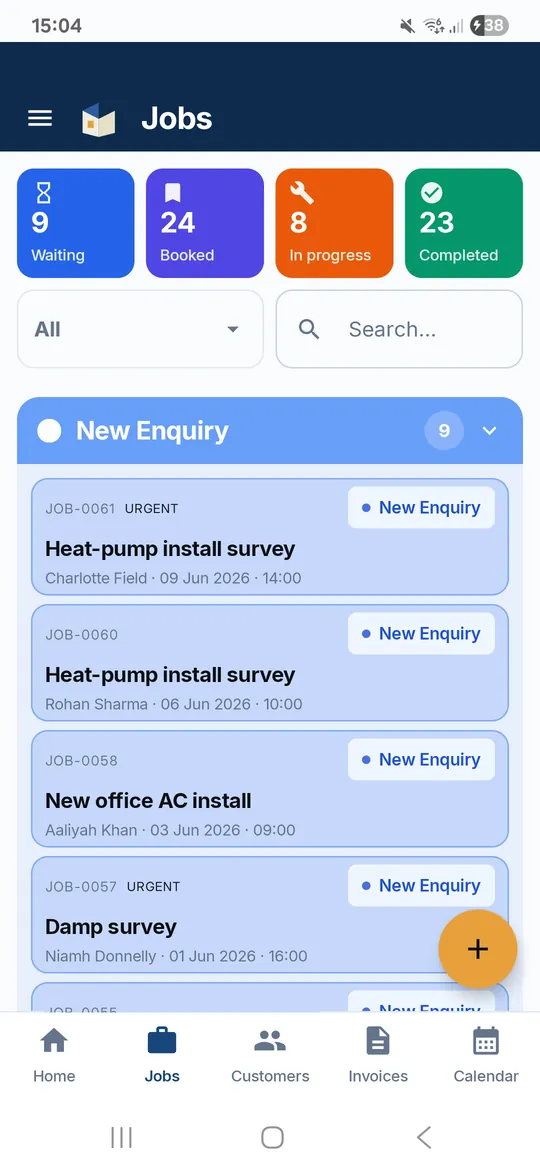
A customer fills in your booking link. It lands in the app as a New Enquiry job with their details filled in, your phone pings, and they get a confirmation email.
Booking link -
Send the estimate from the job. The customer taps Accept, types their name, and you get an email. Ask for a deposit in the same breath if the job needs one.
Quotes and estimates -
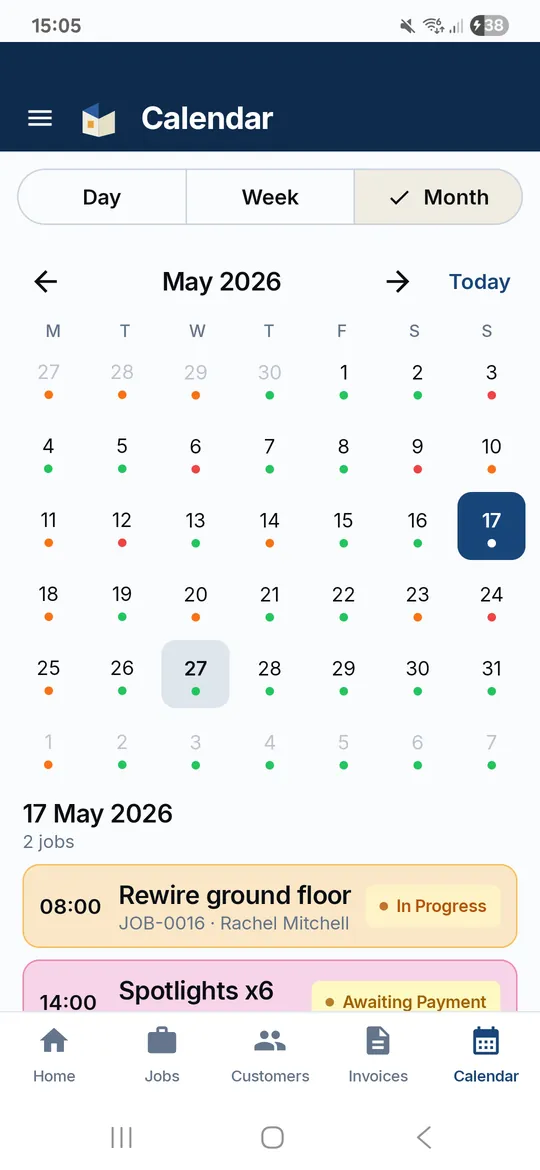
Give it a date and time and it is Booked In. Spread a big job over several days, block out holidays, and see it all in Google or Outlook through your calendar link.
Scheduling -
Directions, call or WhatsApp in one tap. Tap On my way or Running late and the customer gets an email. Certificates and files attach to the job and show in their portal.
Job tracker -
Work done, one tap turns the estimate into the invoice: same lines, deposit taken off. Your bank details are on the PDF, and a scan-to-pay QR if you have a pay link.
Invoice app -
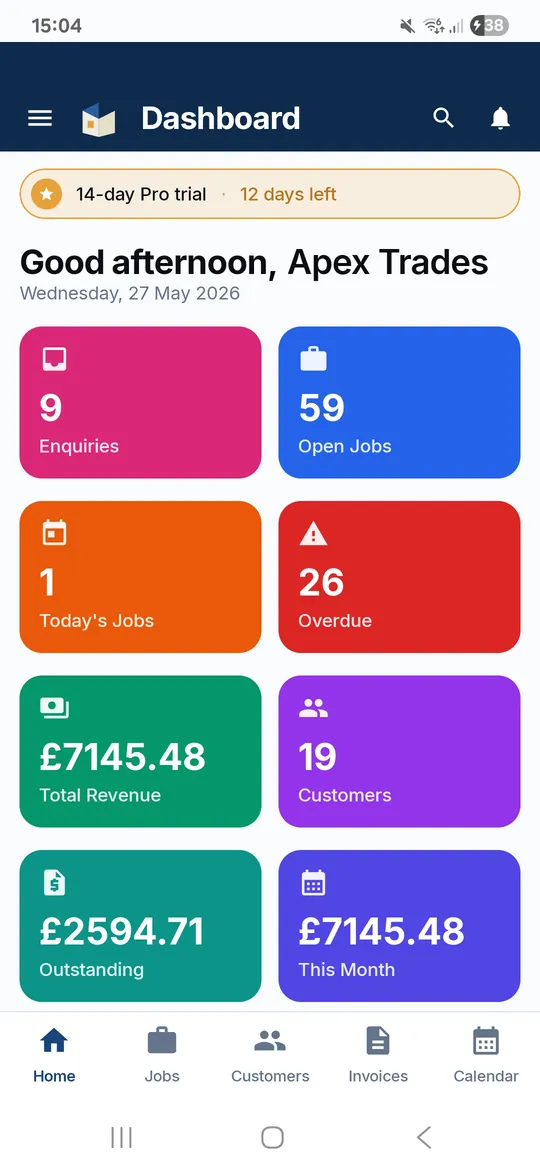
Mark it paid when the money lands, in full or in parts. Still waiting? One tap emails a payment reminder. The dashboard shows what is outstanding and overdue.
Getting paid
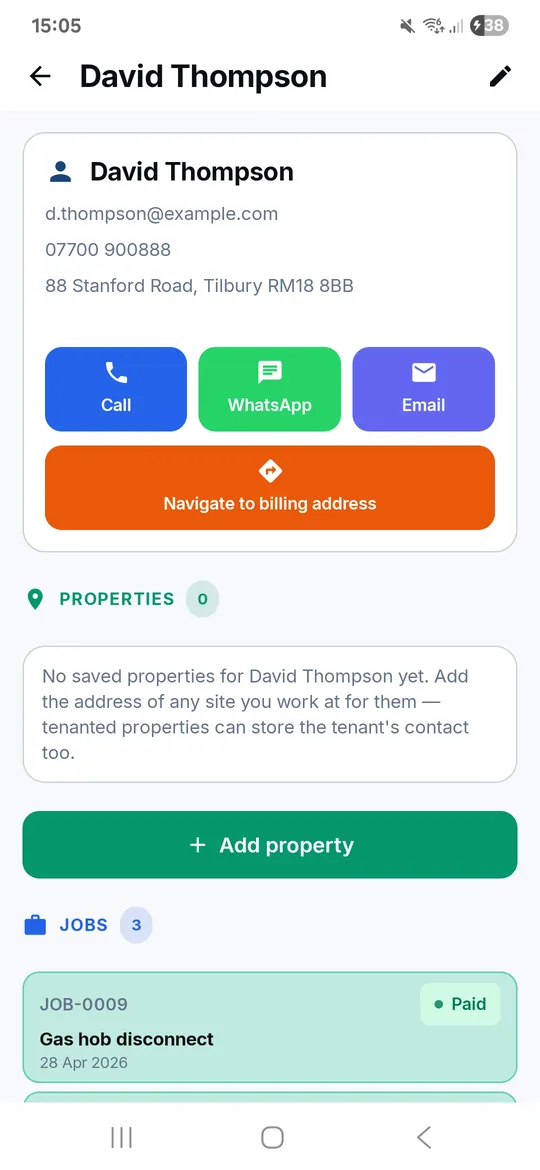
The paperwork side of the job, sorted
The parts of running a trade that eat your evenings, in one app that fits in the van.
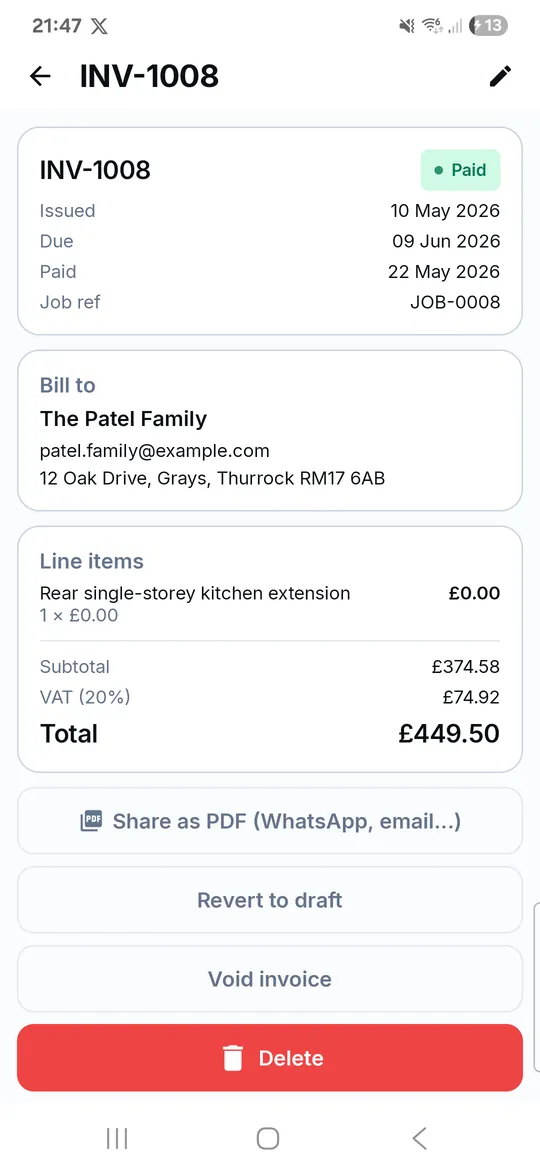
Invoices that get paid
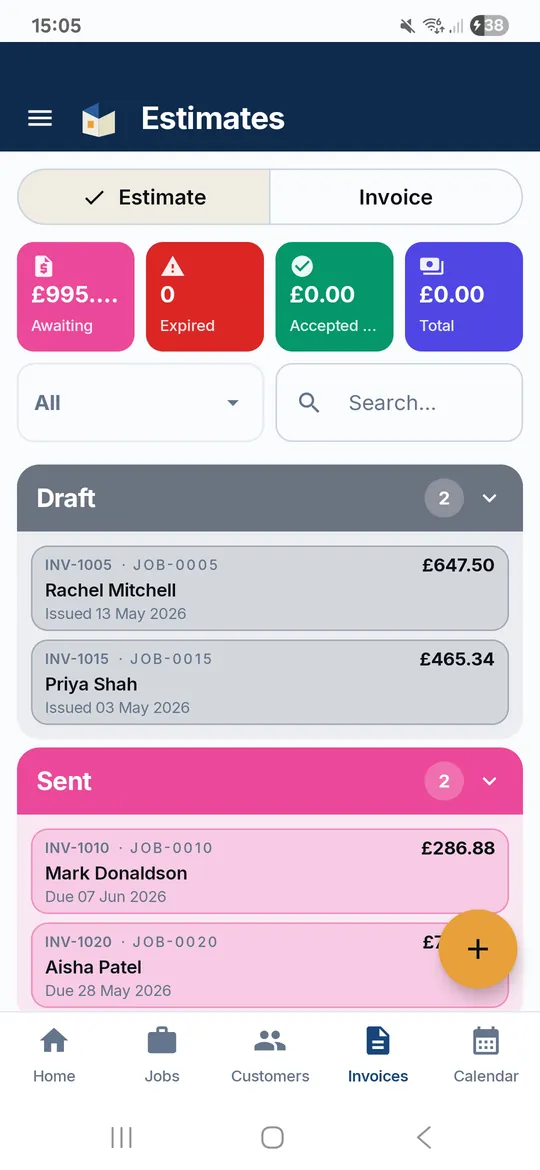
Numbered in order, your bank details on the PDF, a scan-to-pay QR for your own pay link, and you can see when the customer opened it. Part payments and reminders included.
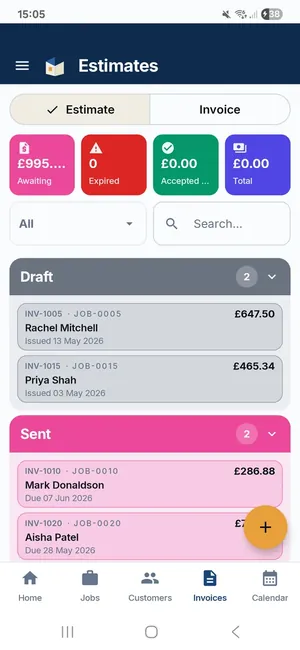
Estimates they accept online
An Accept button in the email. No login for them, an email for you when they say yes.
Your own booking link
Put it on the van and your socials. New work arrives as a job, with a push notification.
A diary for real jobs
Jobs over several days, time off, and a link that puts it all in Google or Outlook.
Every job, one list
New Enquiry to Paid, with the customer emailed when the status changes.
A portal for your customers
They sign in with their email to see their jobs, estimates, invoices and documents, and reach you in one tap. Nothing to install.
Bring the team
Invite people by email, assign jobs, and see the whole team's diary. Each person gets their own login.
Pick your trade
Same app, different working week. See how it fits yours.
TradeLinkers for electricians
TradeLinkers runs an electrician's jobs from enquiry to paid invoice. Attach the EIC, minor works certificate or EICR as a PDF so the customer can open it in their portal, send an estimate they accept online, then turn it into a numbered invoice with your bank details on. Landlord jobs keep tenant and access notes on the property.
TradeLinkers for plumbers and heating engineers
TradeLinkers keeps a plumber's day in one place. Enquiries from your booking link land as jobs, the address finder fills in the property from a postcode, and On my way or Running late emails go in a tap. Price a bathroom or cylinder swap as an estimate, then invoice from the same lines, with part payments and the balance shown.
TradeLinkers for gas engineers
TradeLinkers gives gas engineers one place for boiler services, breakdowns and landlord gas safety checks. Save each rental as a property with tenant, landlord and access notes, attach the gas safety record as a PDF so the landlord or agent gets it in their portal, and invoice the agent from your phone with your bank details on.
TradeLinkers for air conditioning engineers
TradeLinkers lets air conditioning engineers book the site survey as a Quote Visit, send an estimate with a deposit percentage that the customer accepts online, then book the install across one or more days. Attach the commissioning sheet and warranty paperwork to the job, and turn the estimate into the invoice in one tap.
TradeLinkers for builders
TradeLinkers helps builders price the job as an estimate, take a deposit against it, book the work across several separate days and assign the team. When it's finished, the estimate becomes the invoice in one tap with the deposit carried over, VAT added if you're registered, and part payments tracked against the balance.
TradeLinkers for painters and decorators
TradeLinkers lets painters and decorators price a job room by room as an estimate, ask for a deposit to cover paint and paper, and turn the accepted estimate into the invoice when the last coat is dry. Longer jobs book across several days, and the customer gets an email if drying times push the finish back.
TradeLinkers for roofers
TradeLinkers helps roofers quote repairs and re-roofs as estimates, book the work across several days and move it when the weather turns: the reschedule sheet shifts the job to new days and can email the customer. Attach photos, guarantees and building control paperwork to the job, and invoice from the accepted estimate.
TradeLinkers for carpenters and joiners
TradeLinkers helps carpenters and joiners quote fitted work as an estimate, take a deposit before buying timber and sheet materials, book installs across several days, and invoice from the accepted estimate. Attach drawings or a sketch to the job so the customer can see exactly what was agreed in their portal.
TradeLinkers for kitchen and bathroom fitters
TradeLinkers helps kitchen and bathroom fitters send detailed estimates with a deposit percentage, book the strip-out and fit across several days, put the plumber and electrician on the same calendar, and turn the accepted estimate into a VAT invoice. Later payments are recorded against it, with the balance showing on the PDF.
TradeLinkers for plasterers
TradeLinkers suits plasterers running several short jobs a week. Price a room or a day rate as an estimate, book it on the calendar with clash warnings around your time off, send the customer an On my way email, and invoice from your phone before you've washed the buckets out. The dashboard shows what's still owed.
TradeLinkers for handymen and property maintenance
TradeLinkers suits handymen and maintenance firms juggling lots of small jobs for homeowners, landlords and letting agents. Save each rental with tenant and landlord contacts and access notes, attach photos of the finished work, invoice the agent from your phone, and see on the dashboard who still owes you money.
TradeLinkers for locksmiths
TradeLinkers puts emergency enquiries from your booking link on your phone as a push notification, with the customer's address already on a New Enquiry job. Tap Directions, send On my way, and when the door's open, invoice from the doorstep with call-out and parts on separate lines and a SCAN TO PAY code for your own pay link.
Free tools for the paperwork, no sign-up
Make an invoice or a quote, price a job, work out your day rate. Use them as often as you like.
Free invoice template
Fill it in, download a PDF. No sign-up.
Free quote template
A clean quote or estimate PDF in two minutes.
Job price calculator
Labour, materials, markup and VAT in one sum.
Day rate calculator
What to charge per day to hit the income you want.
VAT calculator
Add or take off VAT at 20%, 5% or 0%.
Late payment calculator
Statutory interest and compensation on a late invoice.
What it does, and what it doesn't do yet
Better you hear it here than find out on a Friday afternoon.
TradeLinkers is built by one developer in the UK, week by week, alongside a working electrical, plumbing and gas firm in Essex. When something slows them down on site, it gets fixed. About TradeLinkers.
It does
- Enquiries from your booking link
- Estimates with online accept and deposits
- Invoices, part payments, reminders
- VAT, once you're VAT registered
- Multi-day jobs and time off
- Customer portal and team logins
- CSV import and export (web)
Not yet
- Card payments built in (add your own pay link)
- CIS deductions
- Sync with accounting software (CSV instead)
- Text message updates (email instead)
- Repeat or recurring jobs
- An App Store app (web app on iPhone)
One plan. One price.
Know the rules, get paid faster
What do you put on an invoice in the UK?
The 9 things every UK invoice must show, the extra VAT invoice rules, how to number and date invoices, and where your bank details go. With a free template.
Do tradespeople have to charge VAT?
Only VAT-registered trades charge VAT. The £90,000 threshold, the 20%, 5% and 0% rates, VAT on materials and labour, and how to add VAT to a price.
Should you take a deposit, and how much?
When to take a deposit, how much to ask for, the 14-day cancellation rules for work agreed in a customer's home, and what to put on the quote.
Questions trades ask before they start
What is TradeLinkers?
TradeLinkers is a job management app for UK tradespeople. It keeps your enquiries, customers, estimates, diary and invoices in one place, on an Android app and a web app that share one account. It is built in the UK by an independent developer.
How much does it cost?
14 days free with no card needed, then £9.99 a month for everything. There is one plan and no contract. TradeLinkers never takes a cut of your invoices. See pricing.
What happens when the free trial ends?
If you don't subscribe, adding new jobs, customers and invoices pauses. Everything you already created stays there to view, and nothing is deleted. Subscribe on the web whenever you are ready and you carry on where you left off.
Is there an iPhone app?
Not in the App Store. On an iPhone or iPad you use the web app in Safari and add it to your Home Screen, with the same account as the Android app. Here is how.
Which trades is it for?
Any trade that books jobs, sends quotes and sends invoices. It was shaped with an electrical, plumbing and gas firm, and is used across trades. See how it fits your trade.
Can customers pay by card through it?
Not built in. Invoices carry your bank details. If your bank or card provider gives you a pay link, add it in settings and a scan-to-pay QR code and a Pay this invoice button appear on your invoices. The money goes straight to you.
Does it work without signal?
The Android app does. Jobs, customers and invoices save on the phone and sync when you are back online. Sending emails and uploading files need a connection.
Where is my data kept?
In a database in Stockholm, Sweden (inside the EEA), encrypted in transit and at rest. You can export your customers, jobs and invoices as CSV from the web app at any time. Read the privacy policy.
Get your evenings back.
14 days free, no card needed. After that it's £9.99 a month for everything, and you can cancel any time.
Android app on Google Play. On an iPhone or a computer, use the web app with the same account.