TradeLinkers update · 7 September 2026
TradeLinkers 1.0: one address finder, text that fits, and the money you are actually owed
Every address form in the app and on the web now finds the property for you and stores it the same way. Large text fits on every screen. Outstanding on the portal counts every invoice you are owed on. Plus two fixes for your customers. Portal live today; app update on Google Play this week.
We are calling this one TradeLinkers 1.0. Not because it is the first version, but because it is the first where the app, the web portal and your customer's portal all do the same job the same way. Here is what changed, and what got fixed on the way.
One way to find an address, everywhere
Addresses were the thing people typed wrong most. A house number on one job, a flat letter on the next, a postcode with a space missing on the invoice, and the same customer's home ended up spelled three ways across the app and the portal.
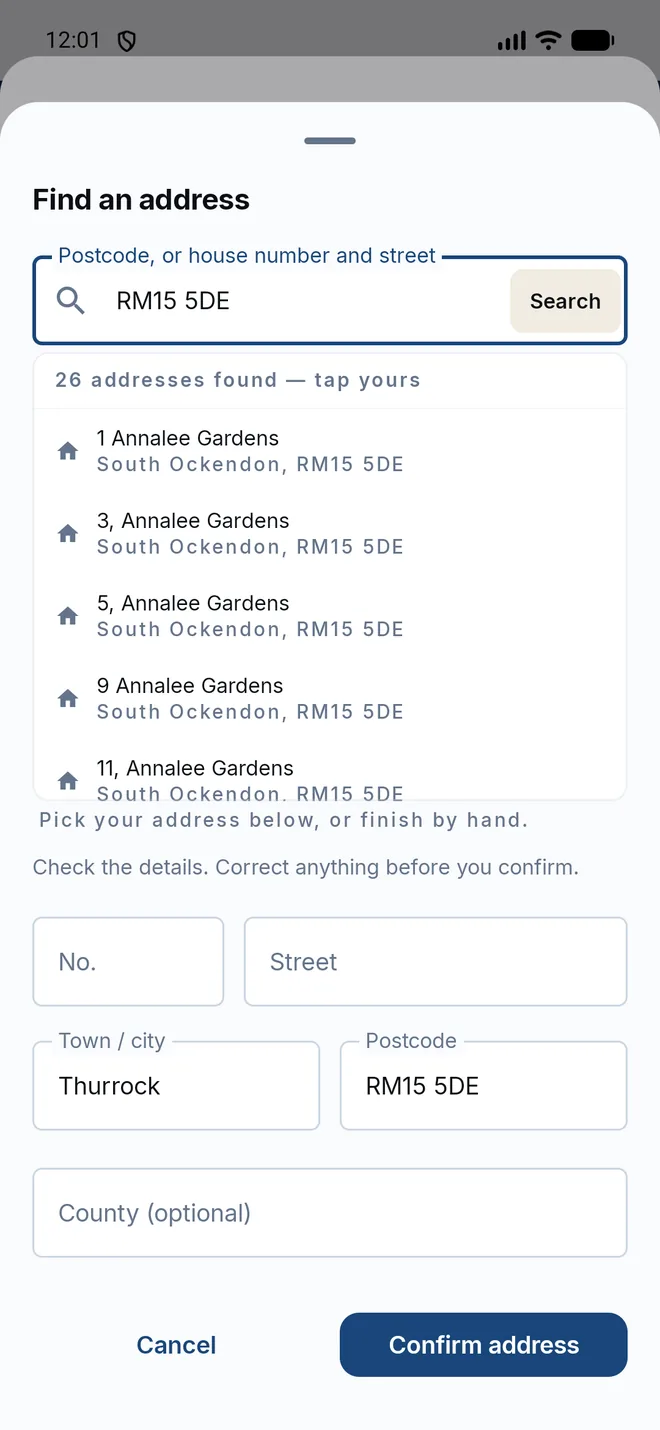
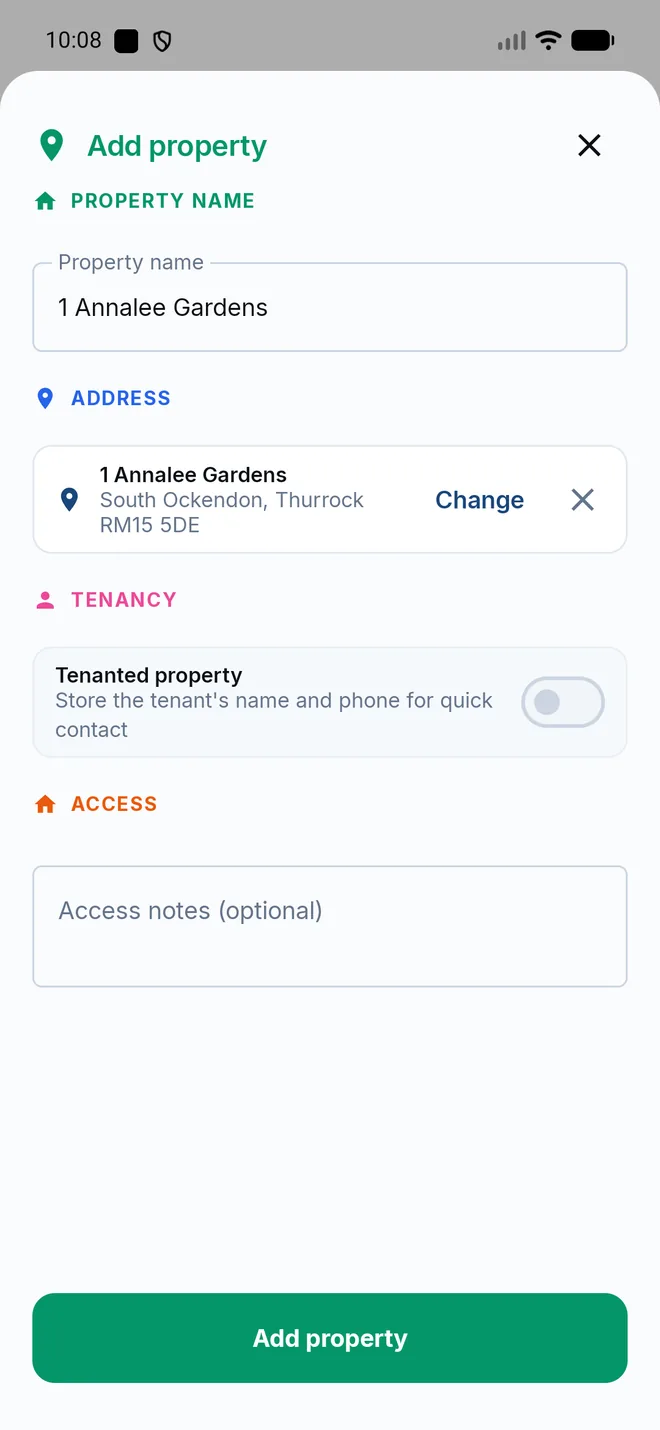
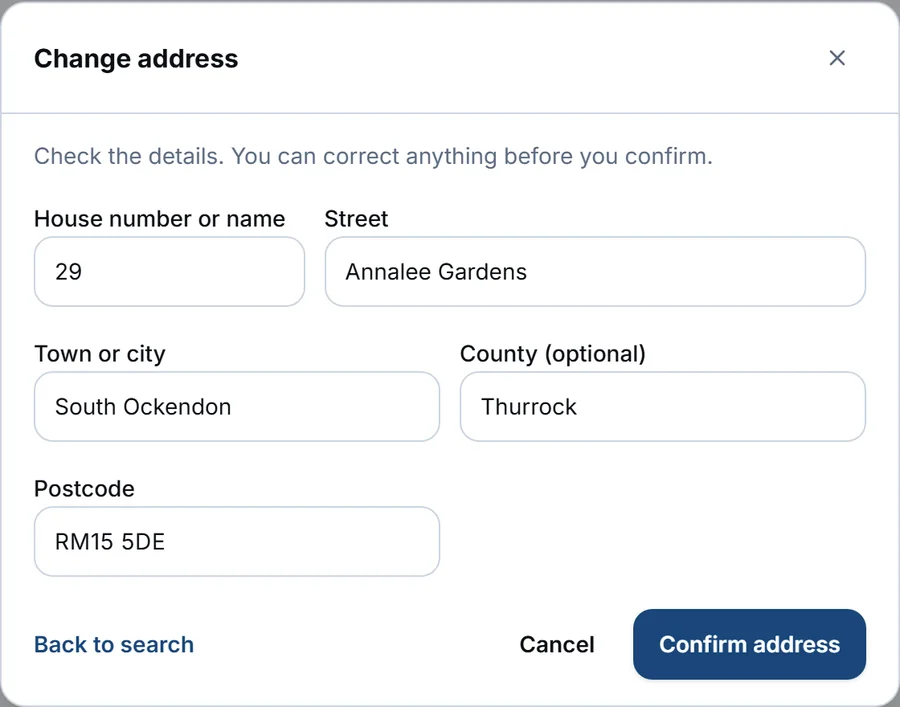
Every address form now works the same way, in the app and on the web. Search by postcode, or by house number and street. Pick the property from the list (it comes straight from the Energy Performance Certificate register, so it lists real houses, not guesses). Check the parts. Confirm.
Once confirmed, the address sits on the form as a card, the way it would be written on an envelope. Change it or remove it in one tap.
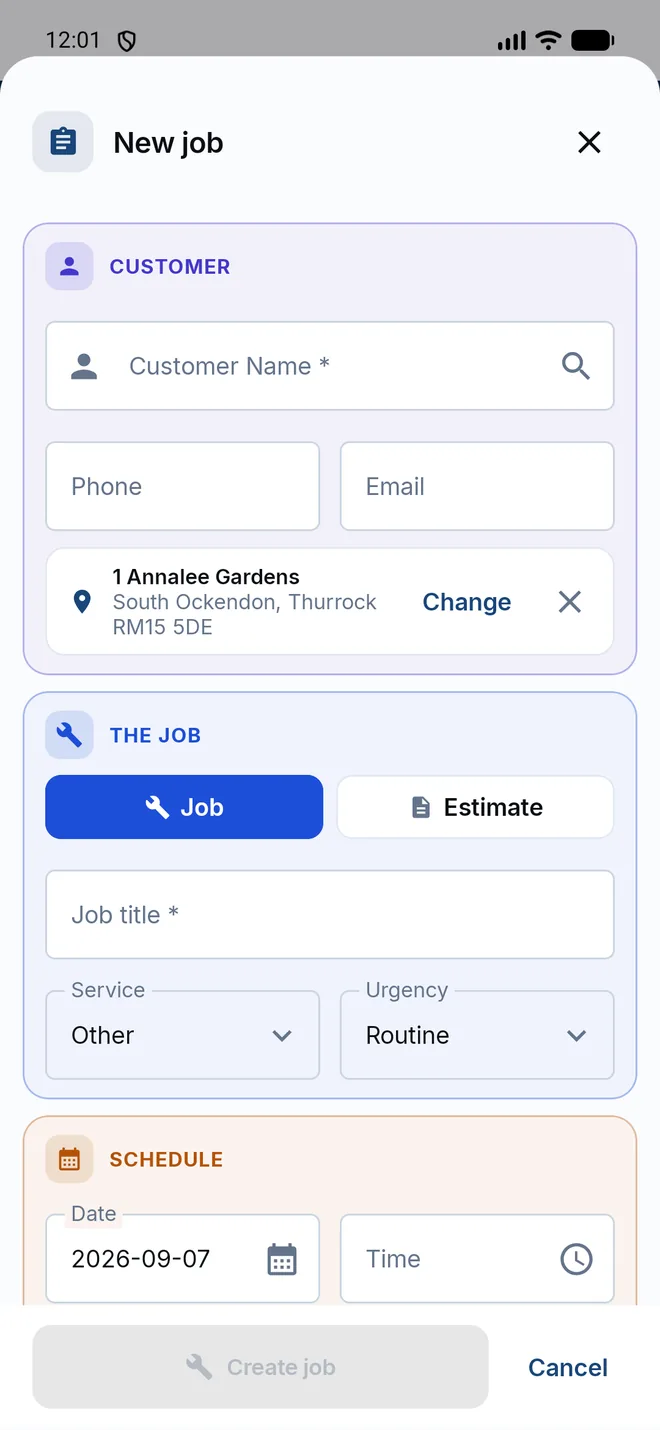
This is on every form that takes an address: new job, the customer, saved properties, the job page's add-a-property, the invoice's billing address, your own business details on the portal, the CSV importer, and the request form your customers use in their portal. Behind it the address is stored as five parts (house, street, town, county, postcode) rather than one line of text, so the same house is the same house wherever it turns up, and a search for a postcode finds every job at it.
Text set to Large now fits
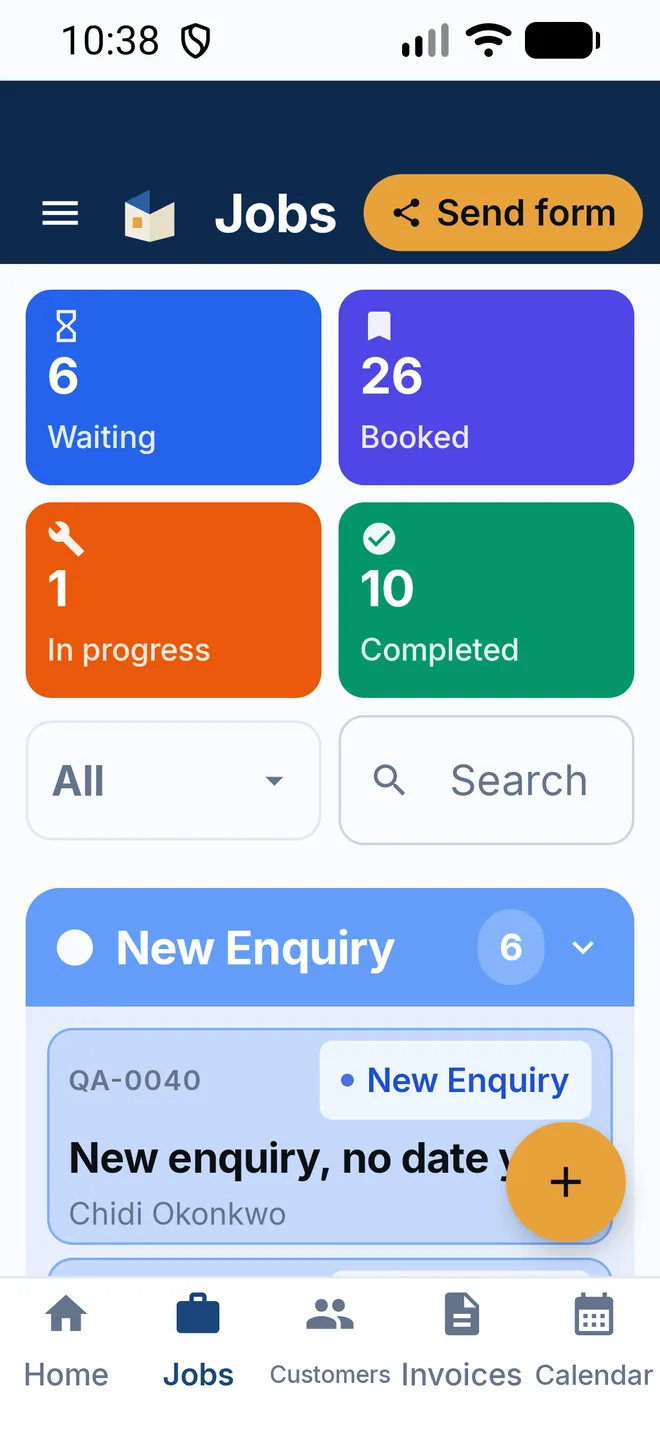
If you run your phone with bigger text, you will have seen labels cut short: the tabs along the bottom reading "Custome", the stat tiles reading "In pr", the calendar's "06:00" broken over two lines.
That is fixed across the app. Labels shrink a step before they ever clip, tiles grow instead of cutting their captions off, and the four-across rows of tiles become two by two when text is set to Large so every figure fits.
The money you are owed, counted properly
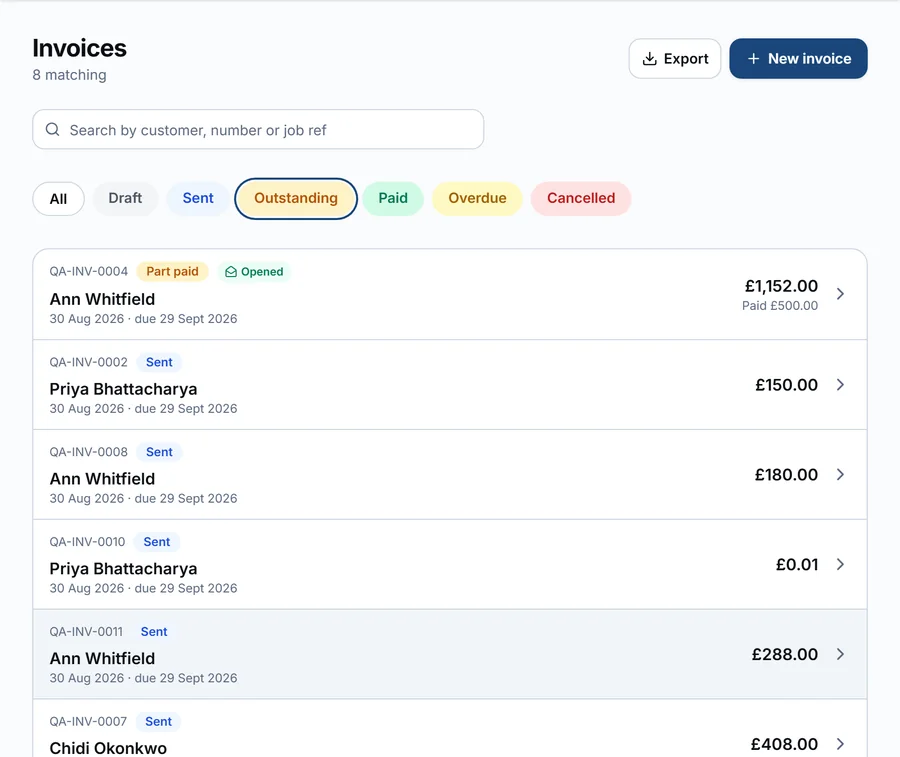
On the web portal, Outstanding and Overdue used to count only invoices marked Sent. The moment a customer opened an invoice, or paid part of it, it dropped out of the figure. The dashboard was quietly under-reporting what you were owed by exactly the invoices most worth chasing.
Outstanding now means every invoice you have issued that is not settled: sent, opened, part paid or deposit paid, counted at the balance still due. The same figure appears on the dashboard, in the invoice list (which has an Outstanding filter of its own now), on each customer's page and in your customer's portal.
Your customers
Two things for the people you work for.
Requesting a job from their portal works. If a customer tried to send you a job request from their portal before this week, it never arrived. A permission was missing on our side. It is fixed, and the request form now uses the same address finder you do, so what lands in your inbox is a real address.
In the app, they see you. A customer signed in to the app now sees your business name at the top, working Call, WhatsApp and Email buttons, and a Request a job button. Before this, that screen showed "Home" and three greyed-out buttons.
Signing in to the portal
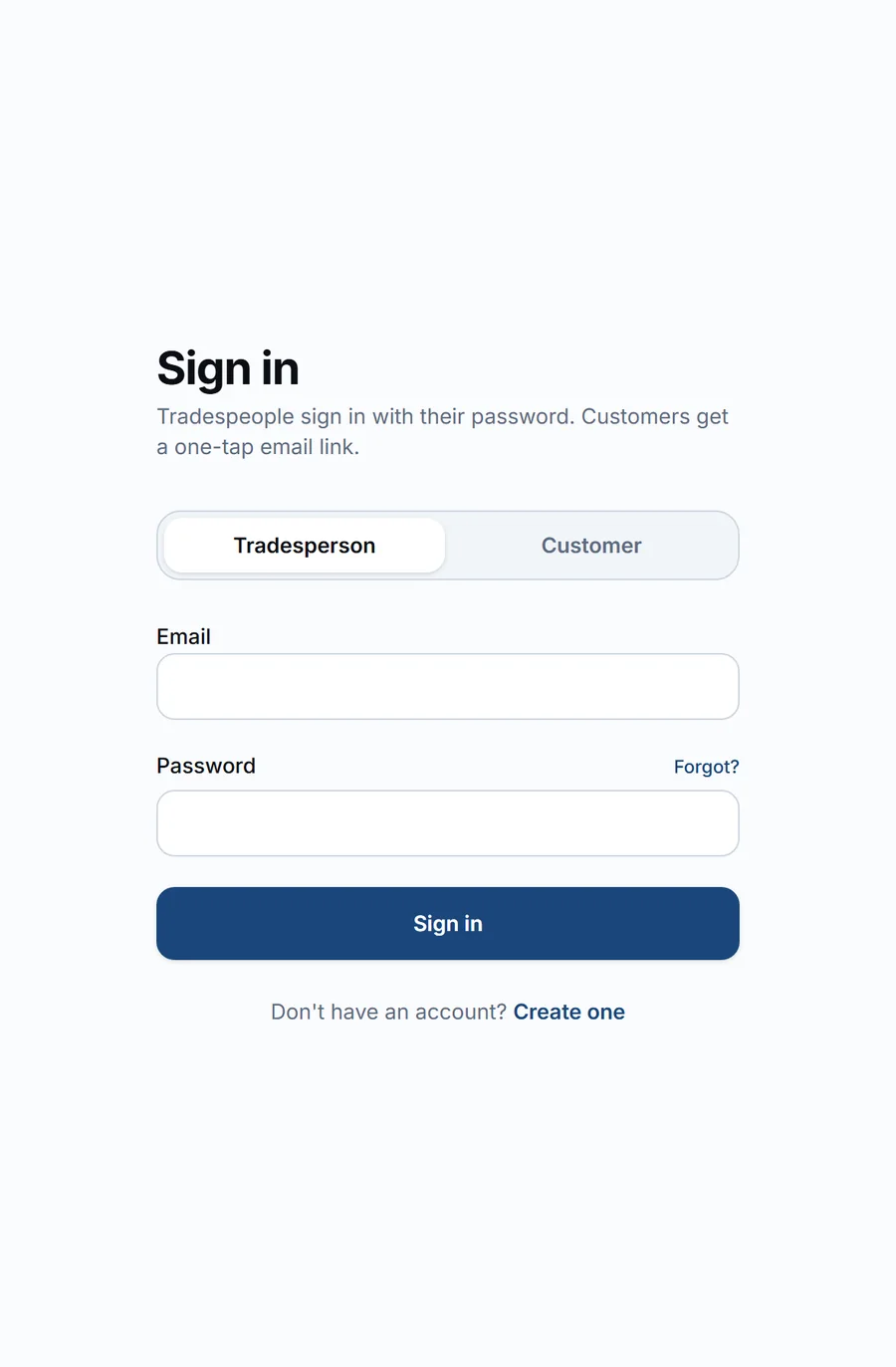
The portal's sign-in page now leads with the tradesperson's email and password. Customers, who sign in with a one-tap email link, have their own tab, and land on it automatically when they arrive from a portal link.
Also fixed in the app
- Jobs created on the phone reach the cloud and the portal again. For a short period every job push was being rejected.
- A paid Pro account no longer shows as a trial.
- An invoice a customer has opened or part-paid keeps that status instead of dropping back to Sent.
- Your customer booking link on the portal now reads tradelinkers.co.uk/intake/your-business, the same short form the app shows.
Where to get it
The portal changes are live now at tradelinkers.co.uk. The app update is going out on Google Play this week; update when it appears and the What's new card will walk you through it. If something is not working the way you expect, say so on the Help & Feedback board and we will read it.